那為何我會遇到跨網域問題?
是這樣的,使用 PhoneGap 開發 app 時,若要跟 API server 要資料也屬於跨網域存取,不過 PhoneGap 的 webkit 設計不像我們平常在用的 browser,所以不會有此限制。只是開發過程我們會直接利用 browser debug,不會每次都把網頁放到 PhoneGap 內,然後 build、deploy 到 mobile device... 這實在太花時間了,這就是為何我需要解決 cross domain 的原因。
// Register event for back button
document.addEventListener("backbutton", function() {
    navigator.notification.confirm(
        '你確定要離開程式嗎?',
        onConfirmQuit,
        '關閉',
        ['確定', '取消']
    );
}, true);

function onConfirmQuit(button) {
    if (button == "1") {
        // Leave app
        navigator.app.exitApp();
    }
}

document.addEventListener("backbutton", function() {
    Ext.Msg.confirm("關閉", "你確定要離開程式嗎?", function(buttonId) {
        if (buttonId == 'yes')
            navigator.app.exitApp();
    });
}, true);

$ ./configure --with-png=yes
$ make && make install
$ convert logo-src.png -resize 72x72 logo-72.png
#/bin/sh

res=(144 114 96 72 57 48 36)
for i in "${res[@]}"
do
    echo "convert icon for ${i}x${i}"
    convert logo-src.png -resize ${i}x${i} logo-${i}.png
done


 |
| 編譯出來的 ST 程式碼 |
 |
| Copy 到 PhoneGap 的www |
$ cp -a SenchaTouch/hello/build/HelloWorld/package/* PhoneGap/hello/www/
$ phonegap build ios
$ phonegap build android

<script type="text/javascript" src="phonegap.js"></script>
<script type="text/javascript">
document.addEventListener('deviceready', function() {
  console.log('deviceready');
}, false);
</script>
$ sencha app build package
2013-08-19 23:51:55.016 HelloWorld[71208:c07] devicereadyAndroid 訊息
I/Web Console( 1291): deviceready at file:///android_asset/www/index.html:61
$ adb -s emulator-5554 logcat
$ sencha help | head -n 1
Sencha Cmd v3.1.2.342
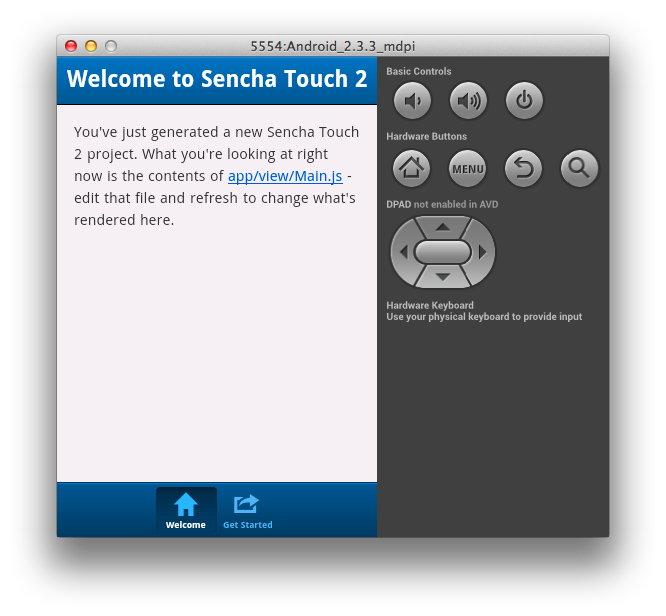
$ sencha -sdk ~/Development/touch-2.2.1 generate app HelloWorld ./hello產生專案資料夾 hello,裡面的 index.html 就是 app 的首頁
$ sencha app build package在 hello/build/HelloWorld/package 資料夾下可以看到編譯結果
$ sudo apachectl start

$ sudo npm install -g phonegap
$ phonegap -v
3.0.0-0.14.3
$ phonegap create hello com.example.hello HelloWorld產生 hello 資料夾,裡面包含 merges, platforms, plugins, www
$ phonegap build ios
$ phonegap build android
可以看到 hello/platform/ 之下有這兩個平台的專案資料夾
$ phonegap local plugin add https://git-wip-us.apache.org/repos/asf/cordova-plugin-console.git
$ phonegap build下達此指令後,PhoneGap 會從 hello/www 去建立各平台的必要資源,包含 app 原始碼與 plugin,可以在下面資料夾看到編譯結果

$ cd platform/android
$ ant debug
$ adb devices
List of devices attached
emulator-5554   device
$ adb -s emulator-5554 install -r bin/HelloWorld-debug.apk
337 KB/s (1579758 bytes in 4.565s)
        pkg: /data/local/tmp/HelloWorld-debug.apk
Success

<div data-role="page" id="page1">
    <div data-role="header">
        <h1>Page 1</h1>
    </div>
    <div data-role="content">
        <a href="#page2">Change Page</a>
        <a href="#" onclick="$.mobile.changePage('#page2');">Change Page</a>
    </div>
    <div data-role="footer">
        <h4>Page Footer</h4>
    </div>
</div>

<div data-role="page" id="page2">
    <div data-role="header">
       <h1>Page 2</h1>
    </div>
    <div data-role="content">
        <p>In page 2</p>
    </div>
    <div data-role="footer">
        <h4>Page Footer</h4>
    </div>
</div>
<div data-role="page" id="page1">
</div>
$(function(){
    $.mobile.changePage("tpl/page2.html", {
        transition: "pop",
        reverse: false,
        changeHash: false
    });
});
<div data-role="page" id="page2">
 <div data-role="header">
  <h1><%= title %></h1>
 </div>

 <div data-role="content">
  <p><%= content %></a>
 </div>

 <div data-role="footer">
  <h4>Page Footer</h4>
 </div>
</div>
$(function(){
    $.get('tpl/page2.html', function(data) {
        var tpl = _.template(data);
        var m = {title: "This is title", content: "In the page 2"};
        var newPage = $(tpl(m));
        newPage.appendTo($.mobile.pageContainer);
        $.mobile.changePage(newPage);
    });
});
